
WondersTech POS · real product

One system for the work behind the business.

Sell, control stock, manage customers and suppliers, track credit and expenses, protect sensitive actions, recover data, and understand performance from one dependable desktop workspace.
Offline-firstCore operations keep moving Controlled accessUsers, approvals and audit Protected dataEncrypted backup and recovery
WondersTech POSLive product
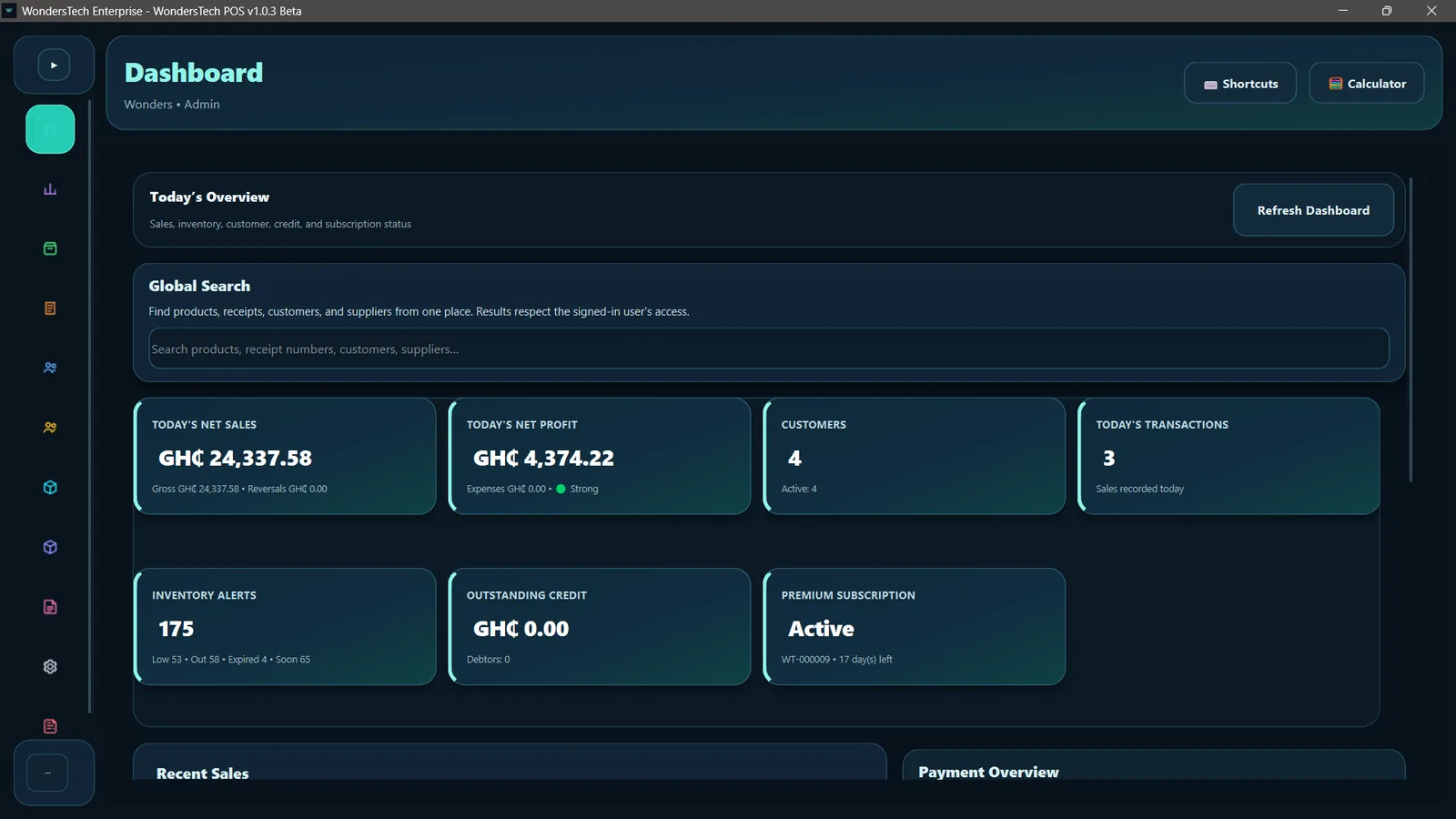
WondersTech POS dashboard showing sales, profit, customer, inventory and subscription overview
OperationsSales → Stock → Reports
ProtectionPermissions + Backup
Built into one system
SalesInventoryAnalyticsCustomersCreditSuppliersExpensesReportsAuditSettings
Full product tour

See the actual system, page by page.

No concept art and no generic dashboard mockups. The screens below come from the current WondersTech POS desktop application.

Business pulse

Dashboard

See sales, profit, customers, inventory alerts, credit exposure and subscription health without jumping between pages.

  • Live operational KPIs
  • Global business search
  • Recent sales and payment visibility
Dashboard
WondersTech POS Dashboard
Connected workflows

The pages do not live in isolation.

WondersTech POS is designed so one operational action can flow into the next record, report and control point.

01

Receive stock

Supplier receipts can capture quantity, receiving unit, purchase cost, batch or lot information and expiry.

02

Sell from inventory

Sales use current products, pricing, units and stock while keeping the checkout workspace focused on speed.

03

Record the truth

Sales, reversals, expenses, customer credit and stock activity feed reports, analytics and audit history.

04

Protect continuity

Permissions, approvals, encrypted backups, recovery controls and signed updates protect the operation around the data.

Built for control

Flexible where it should be. Strict where it matters.

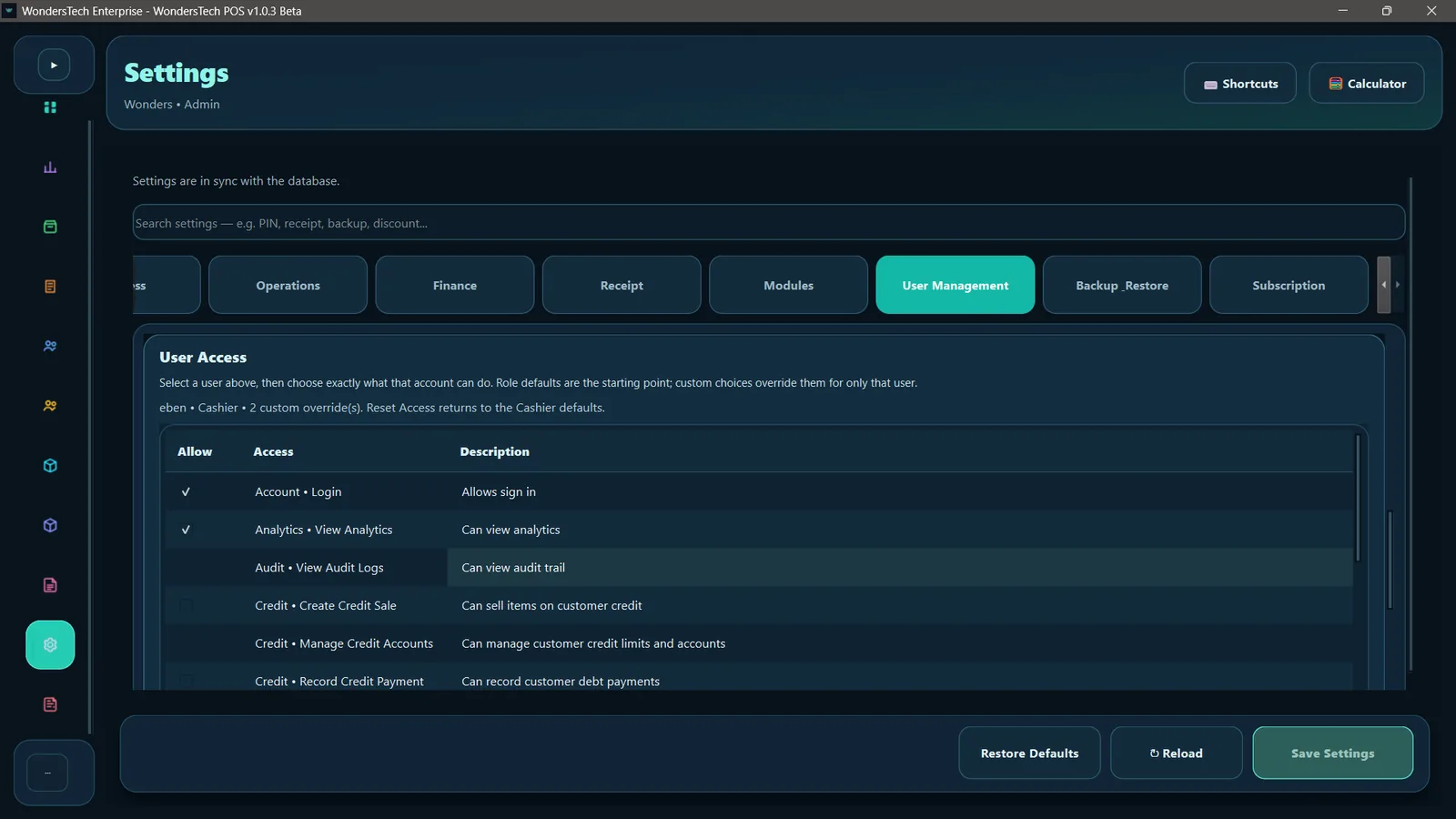
Admins can shape how workspaces look and behave while keeping business rules, user access, approvals, backups and sensitive operations under control.
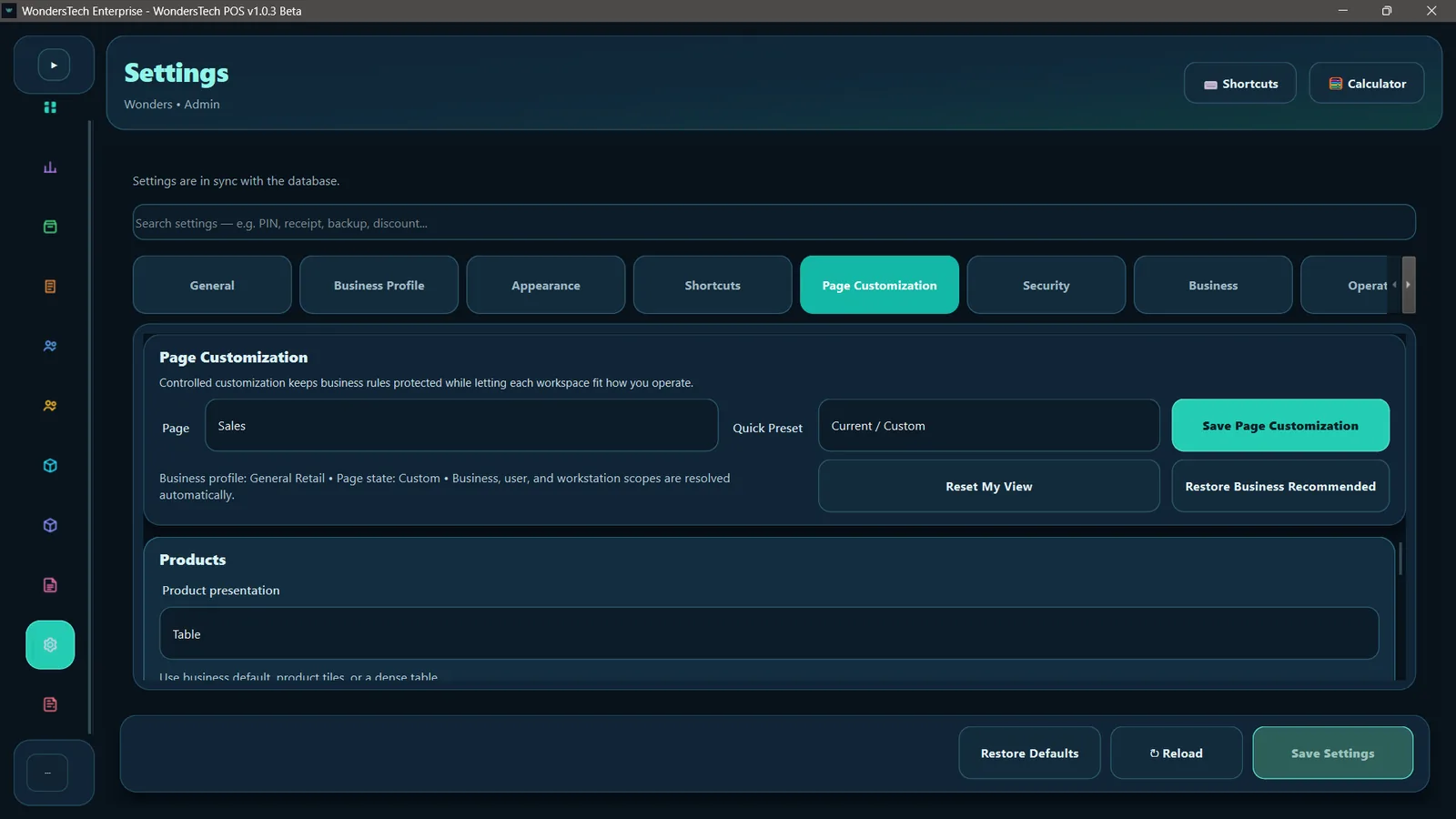
Page-level workspace customization
Per-user access overrides with reset-to-role defaults
Supervisor PIN and reason controls for protected actions
Receipt behavior, printer and archive configuration
Business profiles without hard-coded industry restrictions
Discuss your setup →
WondersTech POS Page Customization settings
Page Customization
WondersTech POS per-user access controls
User Access
Continuity and protection

Local speed. Recovery when it matters.

WondersTech POS keeps the working business database local for dependable day-to-day operation, while optional cloud services add encrypted backup delivery, restore access, device status and trusted update checks.
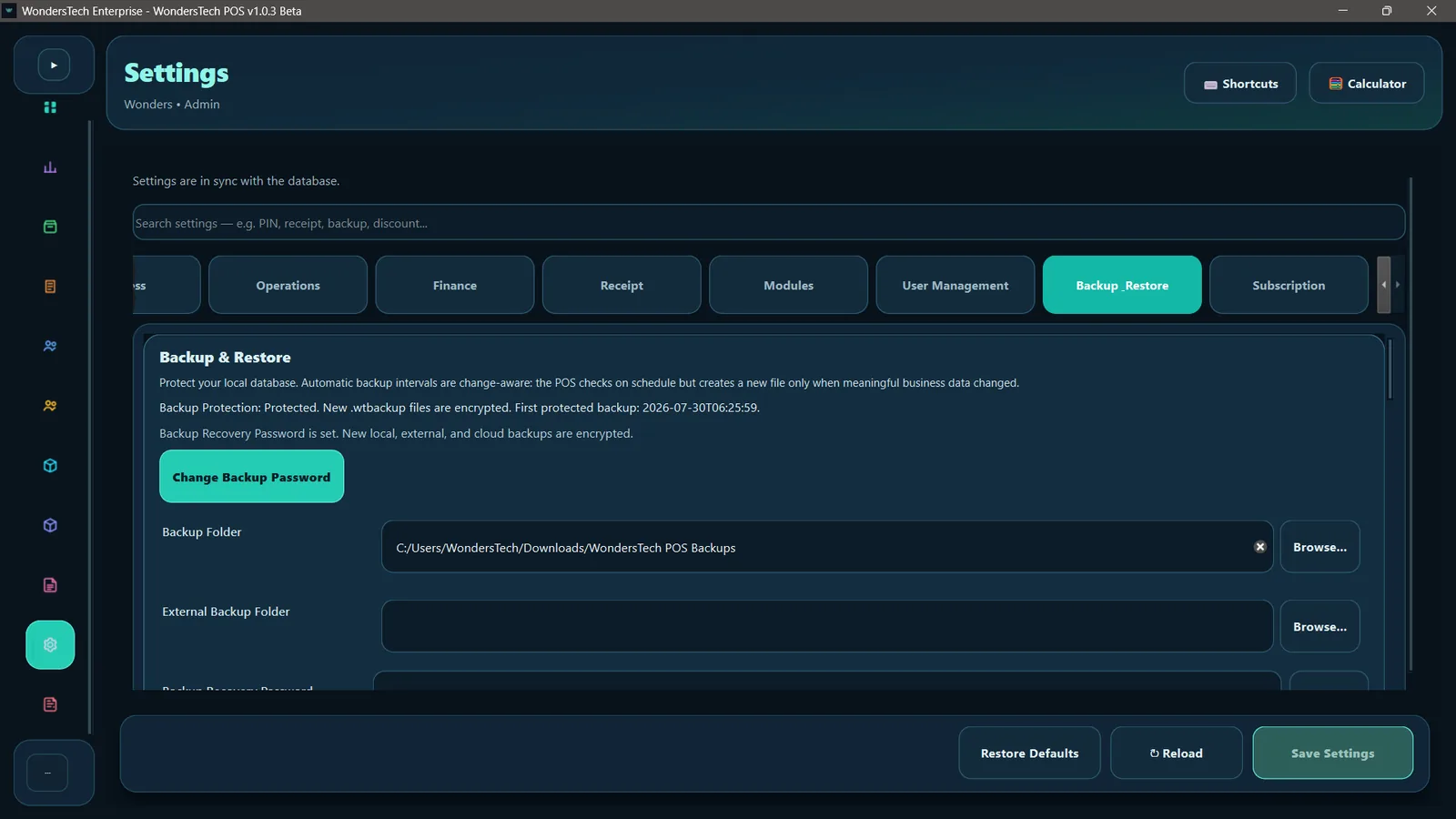
Encrypted local, external and cloud backup workflows
Change-aware scheduled backup and exit backup
Cloud restore and authenticated device status
Stable release channel with signed update trust
Offline-first operation while cloud services reconnect
WondersTech POS encrypted backup and restore settings
ProtectedEncrypted backup + restore
Ready to run it?

Put WondersTech POS behind your business.

Start with the current Windows desktop release, or talk to WondersTech about setup, training and deployment.

DashboardOverview
Expanded WondersTech POS product screenshot